
Hi everyone, I have a problem and hope to receive advice from experts. I want to compare groups of elements in node FamilyType.Name with elements in Node Flatten in pairs. For example, index 0 in 2 nodes will be automatically compared with each other, index 1,2,3,4… Thank you everyone for reading the article.
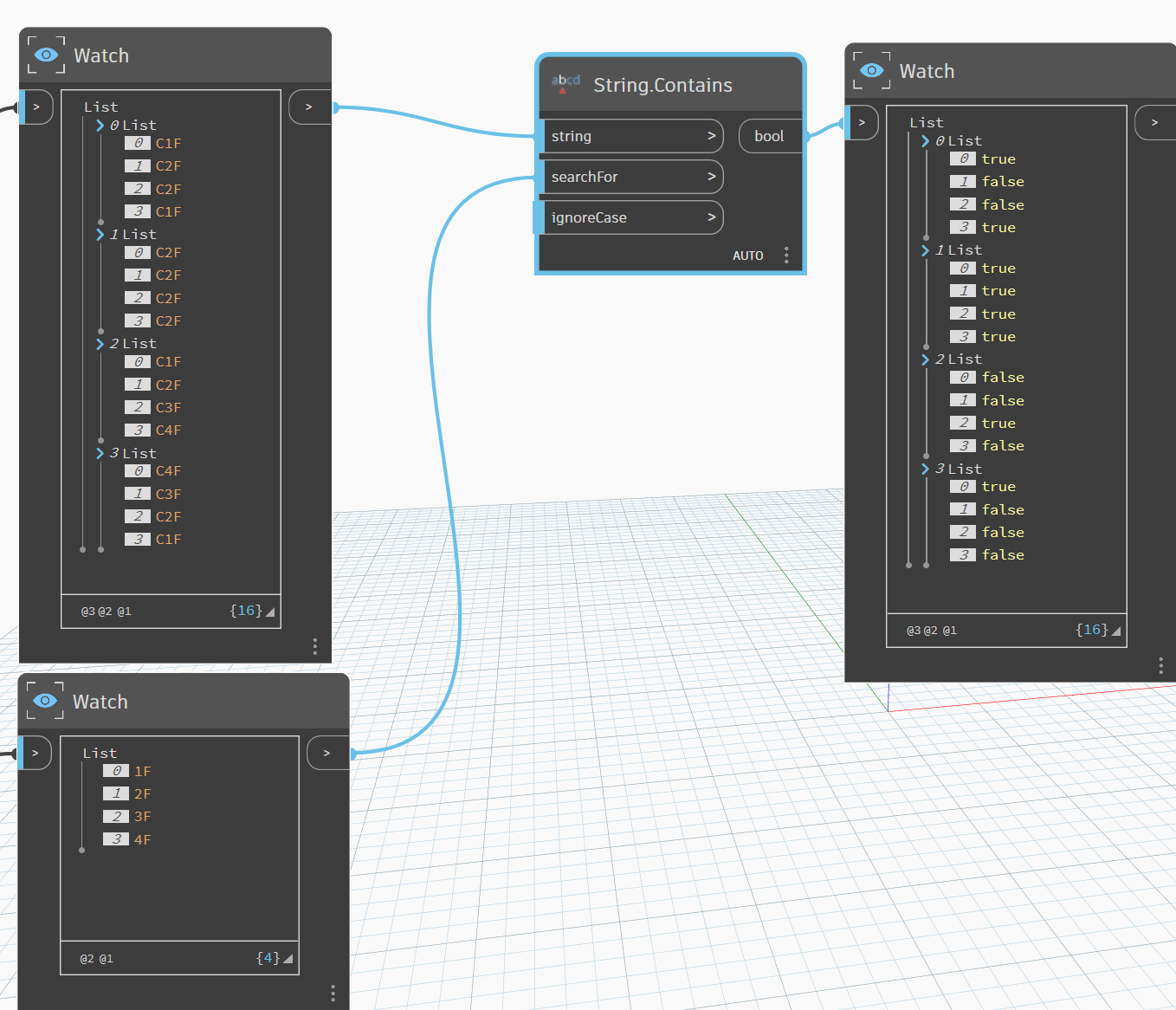

Thanks you bro, I will try


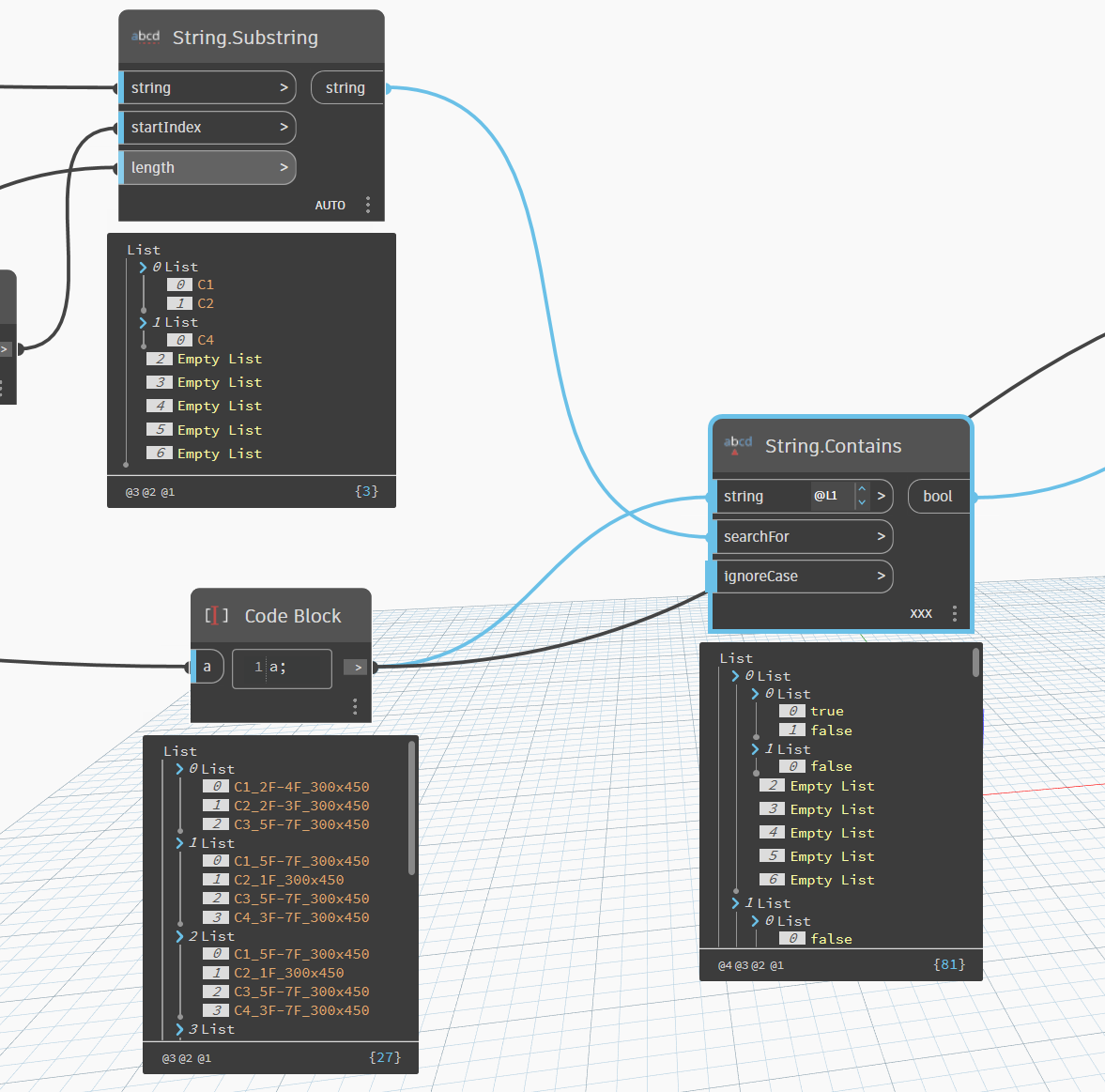
@@ (so two)
Also get rid of you Empty List values.
I think you guys are overcomplicating things…

First of all, connect the right nodes with each other
Secondly: check your lacing. I would turn on Cross product lacing and then combine the list with Any.True node.
That way every family name gets checked whether it contains any item of the List.Flatten list
You are just echoing what Mike and I said…
@bvs1982 @RevitRobot @Robert_Younger @Mike.Buttery I’m stuck in this picture, “Code Block” has 7 large indexes, String.Substring also has 7 indexes, I want the elements in the index to compare with each other. For example, index 1 in the Code Block list has 3 elements that will compare with the other 2 elements and give the result True if the elements in String.Substring are in the elements in Code block, similarly with index 1 will find the result C4_3F-7F… is True. Thank you very much everyone.
I suggest to have a good look at @Mike.Buttery
example and especially at the
Levels (@@) and Lacing (xxx).
Also post an image of the whole graph with
the preview bubbles pinned  .
.
Lastly an example of the desired output could help.
Not every logical combination of inputs is possible with just lacing and/or list levels based on a given structure. You need to provide input structures that allow the node to replicate correctly - based on what you’re trying to do. A lot of times that just means duplicating part of a list so that every iteration has valid inputs at the expected structure. Another option is using replication guides.
Read through the DesignScript guide linked above and look at some of these other threads dealing with the same issue to see if you can figure out the correct combination to get what you’re after. Keep in mind, the initial output may not have the structure you’re expecting since you’re actually applying multiple replication levels to get the information you want. You’ll likely need to do some extra transforming and/or filtering of the data structure to get the result you want, but it will work. You could also use Python.
So as I am getting it right you have a list: 1 - 1000 and want to check if they contain A-F for each, including combinations? (So if 553CF exists, then true?) I’m not sure why you would need a double true. Are you trying to replace the strings? Or read some kind of data from them? I highly suspect this is a case of overcomplicating things
Set Type FML Follow Level.rvt (5.5 MB)
Set Type FML Follow Level.dyn (84.2 KB)


Thank you very much everyone for viewing and giving me feedback, it seems that I have not provided clear information about the problem, I would like to summarize a bit:
- I am creating a Dyn to automatically assign FML Types by Level (this problem is encountered a lot in super high-rise buildings and structures divided into many Types by level), for example, Column C1 on the 1st floor will be assigned to FML C1_1F. Column C1 on floors 2,3,4 will be assigned to FML C1_2F-4F.
- In the first step, I’m just trying to find a way to set the Types with single layers, for example 1F,2F,3F… In image 1, I divided the objects into layers and found the objects with the wrong Type for layer 1 (not containing 1F) and in image 2, I found the corresponding FML Types to replace the objects in image 1, but as you know, for example, in layer 1, there are 3 columns with wrong Type, but only columns C1, C2 have their own Type format for layer 1, which is 1F and layer 2 only column C4 has the Type format 2F to replace them, and I can’t call these objects out.
For more convenience, I would like to send the RV 2023 file and the Dyn file below. Thank you everyone again.

The process of naming Type is: Name_Level_Size, and the object will be assigned according to Level, Level 1 = 1F, Level 2 = 2F, Level 3,4,5 = 3F-5F, we do not need to care about Size
I can comprehend the naming method, I was trying to clarify why you are using the Revit ElementType to define a column’s facility management label.
It is a very inefficient use of the software when using a parameter would be far simpler. A large building would have hundreds of types and this would impact model size and health
@bimtanpd, have you ever used the Schedule function in Revit? No need to abuse the Project Browser to find your columns.