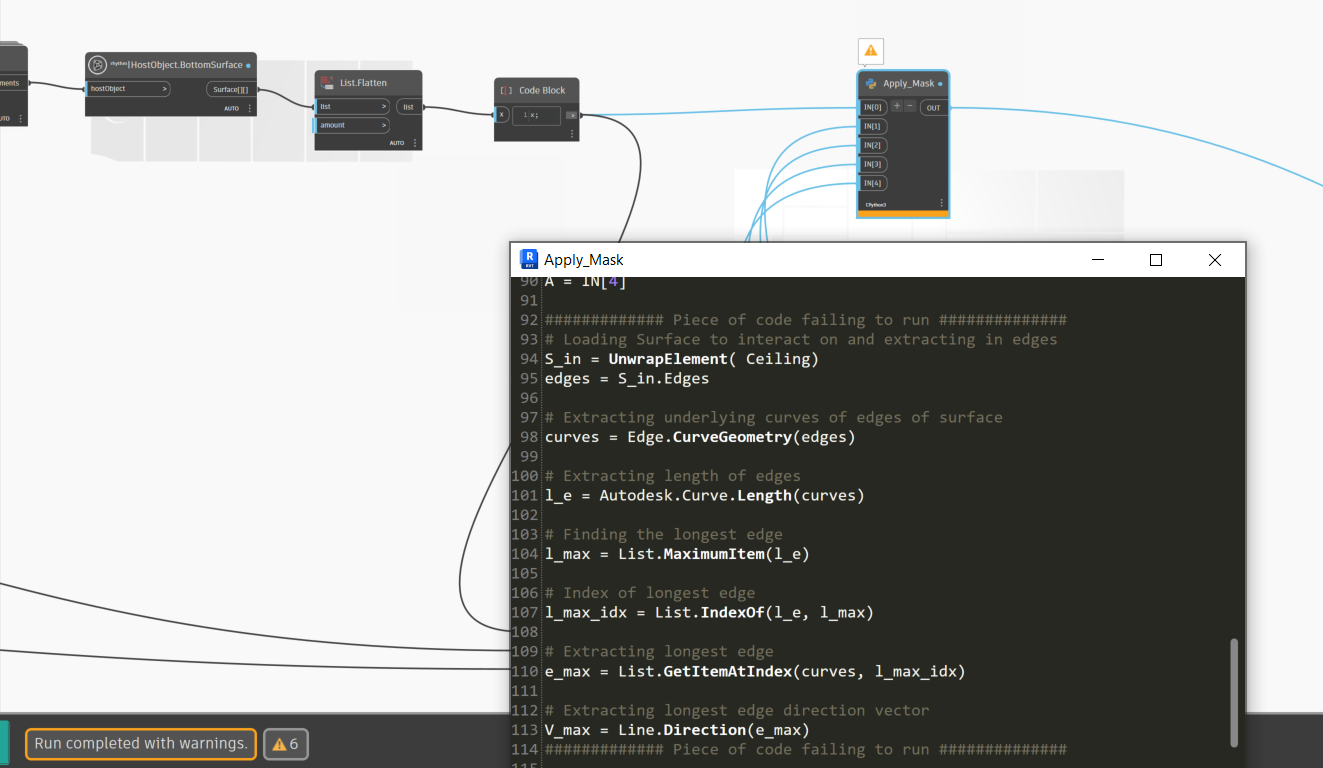
Hi, I am trying to using a python script to manipulate a surface extracted from a linked model.
I managed to get my output on a single surface from a list of surface using Dynamo nodes which I then converted to code.
But when I try to replicate the same code in Python it will give be the error below:
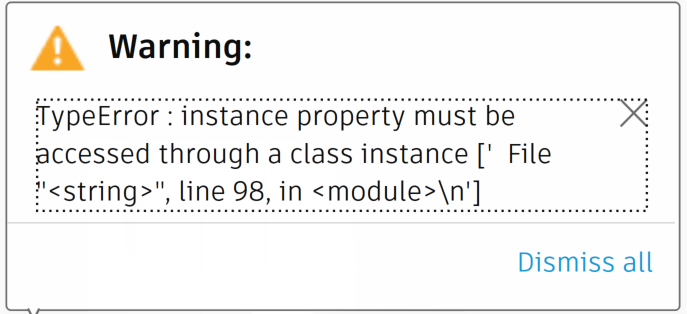
The error occurs on line 98 from the screenshot:
Since I have to iterate on a number of surface, my goal is to get the various surface in the script a run the loop there.
I would appreciate some support in getting the following code to run in the python script as per below:
Also, I cannot find documentation regarding the attributes of the various objects. Where can I find this information.
Thanks!
try this bit of list comprehension instead: [s.CurveGeometry for s in surfaces]
When I try to get the CurveGeometry from a surface, I get an error saying Surface has no attributes “CurveGeometry”.
I have taken a step backwards and my problem is as follows:
I have a surface and I need to compute the length of each edge to find the longest one. See attached screenshot, a neater one than the previous one I sent.
It could be worth mentioning that the surface is from a linked model, although I managed to do the same operation using standards modules in Dynamo.
If you have a surface, you need to get the curves first. Assuming you have your standard Dynamo geometry library imports:
srf = IN[0]
crvs = srf.PerimeterCurves()
lengths = [c.Length for c in crvs]
That should get you started. To sort by length I would just use a standard Python method; nothing unique to Dynamo or the engine about it.
sortedByLength = sorted(list(zip(lengths,crvs)))
That zips the list of lengths and curves, converts the zip object to a list, sorts the list by the natural sort method (first item in the list) and returns the resulting list of pairs.
OUT = sortedByLength[-1][1] and that will pull the first item (curve) from the last list of sorted pairs (so the pair with the longest length).
The Dynamo library has this.
Constructors have a green + sign.
Methods have a red lighting bolt.
Properties have a blue ?.
So if you have a Point, you can go into the Dynamo library, find the point section, and expand that section to find something like this:
- A constructor requires declaring the class first (so
Point with a capitol P) followed by a dot and the constructor you want to use, with the overrides in parenthesis.
- A method is called on an existing object (so
point or pnt with a lowercase p - this has to already exist), followed by a dot, the method you want to call, and then parenthesis and the inputs you want to use.
- A property is pulled from an existing object (so
point or pnt with a loweracse p again), followed by a dot and the name of the property you want to pull.
So:
vct = Vector.ByCoordindates(0,1,0) # A constrctor to generate a vector which didn't exist before. note that we need to set this to a variable to call it again.
pnt = Point.ByCoordiantes(0,0,1) # A constructor, to generate a point which didn't exist before. Note that we need to set this to a variable to call it again.
pnt.Add(vct) #a method acting on the point. Note that no variable need be called as it already exists in memory as pnt - we are just modifying it.
xVal = pnt.X #a property to pull the X value of the point. Note that we need to set this to a variable to call it again.
OUT = xVal #return the xVal variable to the Dynamo environment.
Oh great stuff! Thanks for the help and the explanation. My code is running perfectly fine now too!