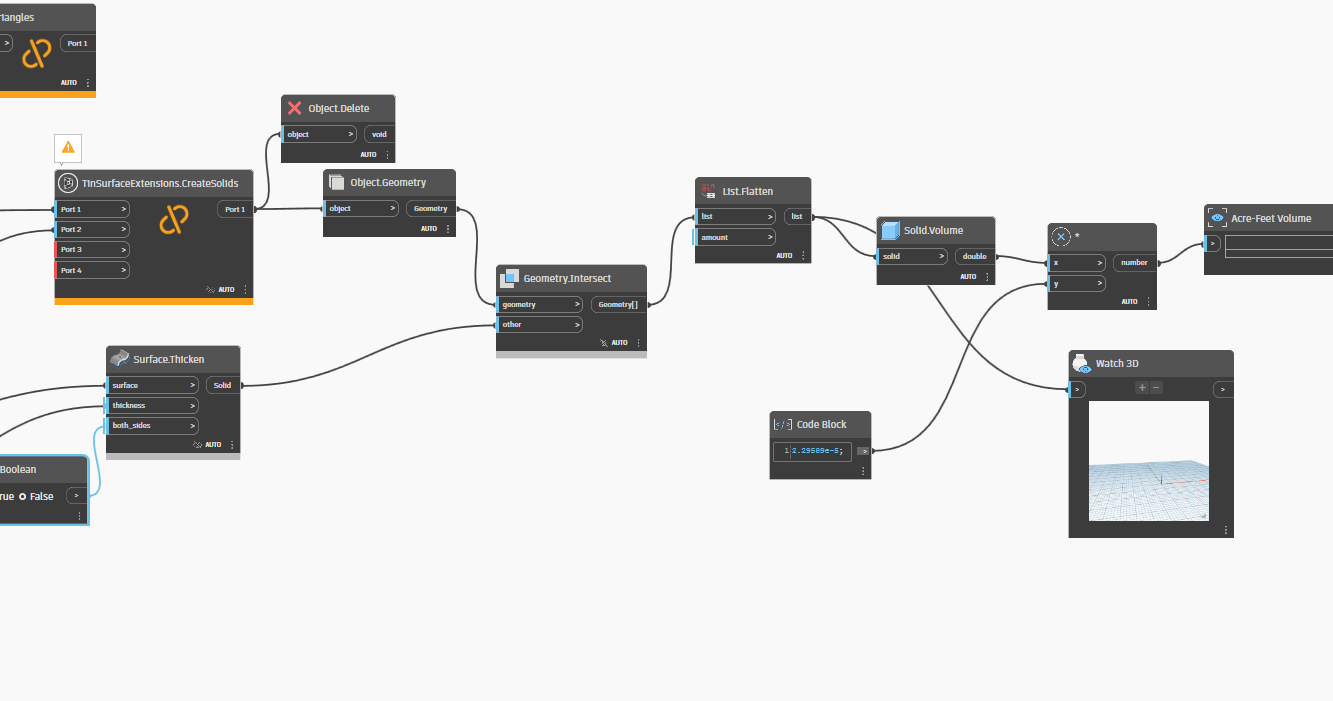
Pond Volume_V1.dyn (50.0 KB)
Hi all,
I’m looking for some guidance on how best to approach a pond volume and contour area analysis** using Dynamo.
Goal:
Given a TIN surface of a pond bottom and a defined top-of-pond elevation, I need to:
- Calculate the pond volume, and
- Extract areas for every 0.5’ contour interval,
so I can plug this data into the MHFD Excel worksheet.
- A dynamo previous of the pond would also be cool.
Current Setup:
- I’ve already created a Dynamo surface for the top of the pond based on an inputted elevation and a selected point, and
- I have the existing TIN surface representing the pond bottom.
Stuck On:
I’m unsure of the best method to calculate the volume between the two. A few ideas I’ve come across:
TinVolumeSurface.ByTwoSurfaces (but not sure how to set this up properly),- Creating two solids and subtracting one from the other, or
- Another method altogether?
I’m working in Civil 3D 2022, so ideally I’d like this to work within that version—but if it’s only feasible in 2025, I’m open to that as well.
Any advice, sample scripts, or references would be much appreciated!
Based on your description, it sounds like you only have a surface for your bottom and want to pick an elevation that you then calculate the values in between, is that correct?
If so, you need to also select a slope between the two in order to calculate the intervals. You could then use some mathematical formulae that does an offset of the bottom area upward along the interval and slope until you get to the top elevation. There are no nodes built in for that, but you could write a python code block to do the calculations.
If that’s not what you’re after, and do in fact have a full surface that you’re pulling both top and bottom from, you should be able to take that top (or bottom elevation) and step down (or up) along your interval to extract contours from the surface. I do not believe this method is easily done with OOTB nodes for 2022.
However, in 2025 there are a series of OOTB nodes for Surface objects that allow you to get contours by a range or by intervals. It appears they would get those contours for the whole surface, so you may have to do additional work to remove any that are outside your pond area.
I have a full Tin surface outlining the bottom of the pond and then a flat elevation for the top of pond.
Bottom of pond:
(Tin Surface)
Top of pond:
(Dynamo Surface)
Can you convert a tin surface to a dynamo solid?
Not directly, but you can probably create a solid using the Solid.ByLoft nodes. You have the outline of the top, this would be one of the cross sections used in the ByLoft. You would just need to generate the outline of the bottom to use as the second cross section for ByLoft.
Assuming you are in 2025 or 2026 and therefore Dynamo 3.0 or later, then you can read in the tin surface as triangles and convert to a mesh via Python. Fortunately the mesh object which will include the full benefits of the new mesh nodes that incorporate the previous mesh toolkit package.
From there you can split the mesh using a plane (and thereby remove the need for any hill climbing), or cap it, or otherwise use the mesh tools in the native Dynamo toolset to get the data you need.
This is what I did for C3D 2022. I have to do some testing to make sure it works but I do know it would be way better and easier in 2025/26.