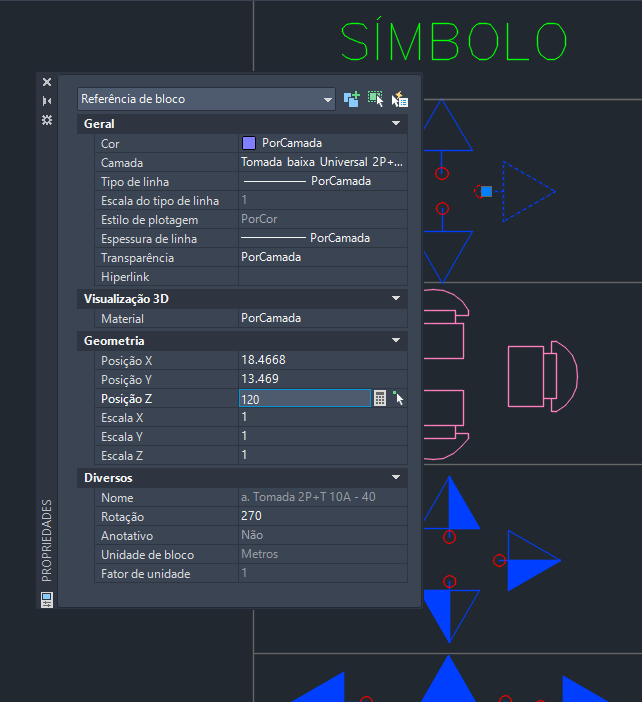
Any help from colleagues will be greatly appreciated. I’ve already tried a few things, with us and Python, but I wasn’t successful, because I don’t even know if it’s actually possible.
" Z" of the blocks to place these families in the z positions according to what is stated in the block reference. So you don’t need to create a family with a z position for each situation. It is possible? Can I read this information and pass it to revit with dynamo?
@arqurb ,
follow this
Thank you for the information and help, but unfortunately I was unable to do so, I tried using this link and others linked to it, but without success. I found it quite confusing.
@RMohareb Can you help me?
Genius Loci has the CAD Block node which can extract the block name, origin, rotation and layer


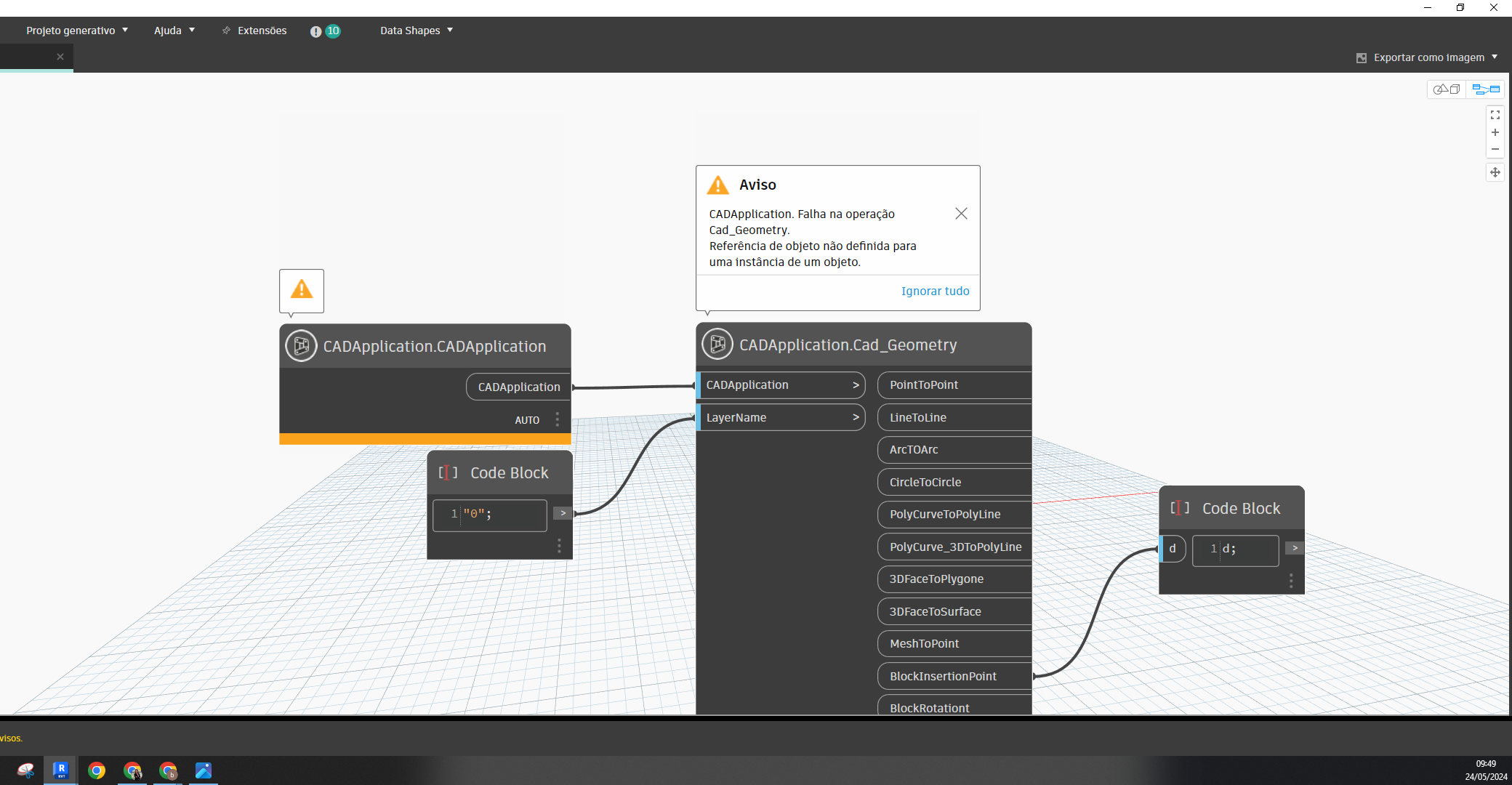
Thank you for the response and help. But I had already tried it this way. But the following error occurs; .ctor operation failed. Operation not available.
and also the error;
Cad_Geometry operation failed.
Object reference not set to an instance of an object.
Errors that I have no idea what they could be.
which revit ver. did you use?
2023
you need to open civil3d file at the same time when you run from dynamo revit
Oh yes, I don’t use civil 3d, I have no knowledge of it. I thought I could only do it through revit and dynamo. What a shame. Thanks
Just open the file at the same time when you run revit dynamo