Hello,
I was wondering if i could have some help to style featurelines based on the site they sit in. I have a file that has several sites in it with featurelines in each site.
I have gotten the sites, and the featurelines style within each what I am struggling with is saying “all featurelines in site channel, use featureline style channel”.
I want to use this across multiple drawings that will all have a different number and name of sites but use the same process, i.e. all featurelines in channel be styled as channel
Thanks
Hi Mark,
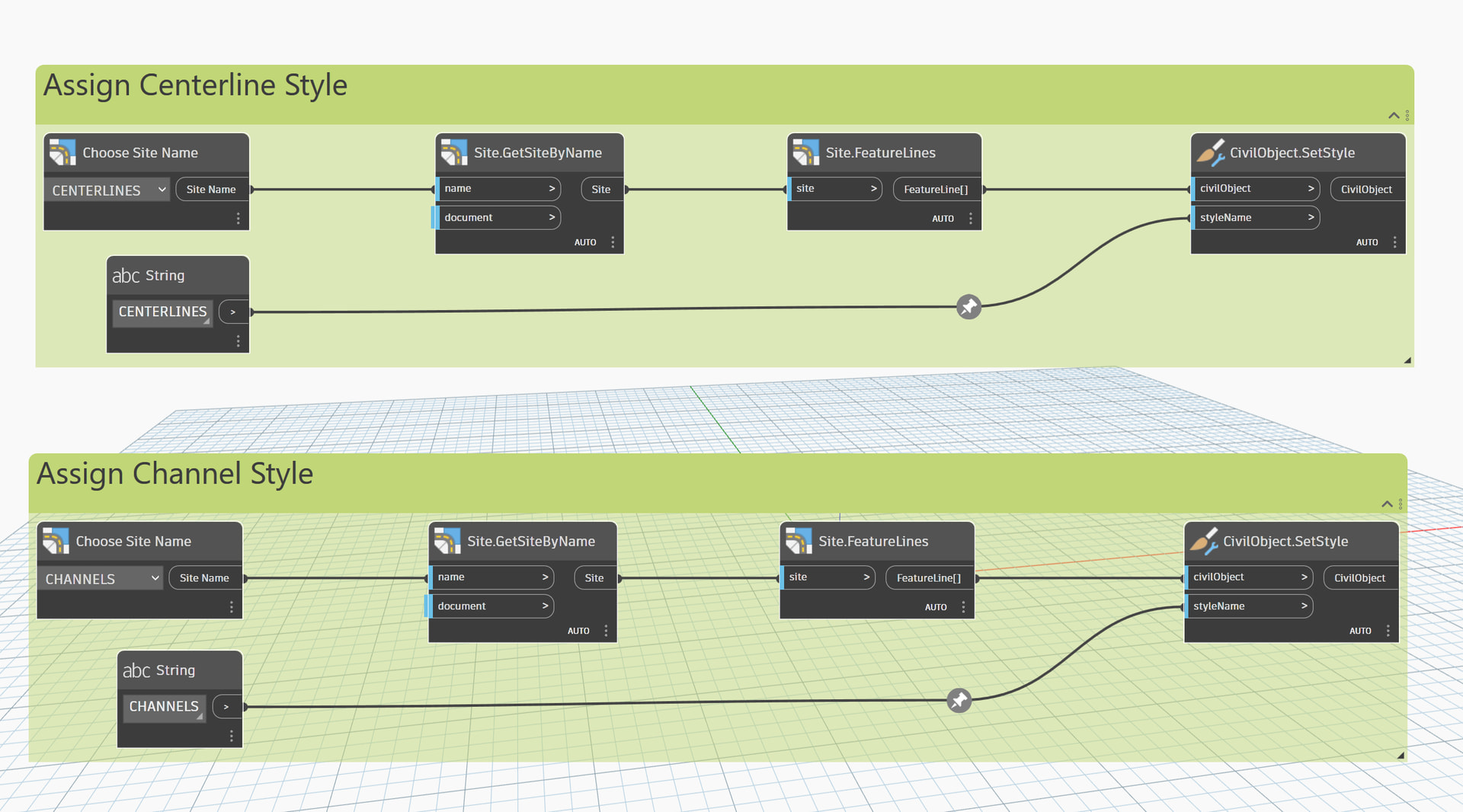
The most dead simple way would be something like this. The main issue with this approach being that there is no error handling for if a site or style isn’t in a drawing. If you aren’t really worried about it that, it will get what you need done.
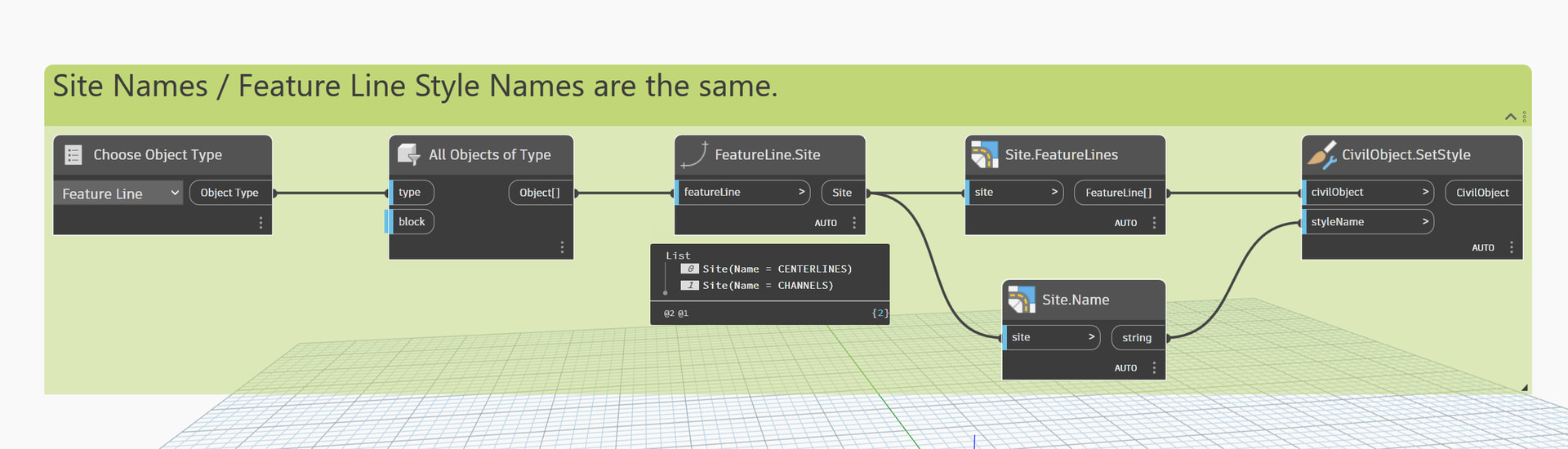
Or if your Site Names / Feature Line Style Names correlated, then you can do something like this and save some duplication / work.
Thanks @DevinLJackson i’ll give that a go; Is there a specific package version I need? I am using 2024 so wont have access to the latest packages (updating is out of my control)
So there was a big update around 2025.1 where these nodes where added, but you should be able to find a version of the Camber / Civil Nodes / Civil Tools packages for 2024 that can cover down on this functionality. I don’t have them installed unfortunately, so I can’t point you to the nodes directly.
1 Like