Hi guys…
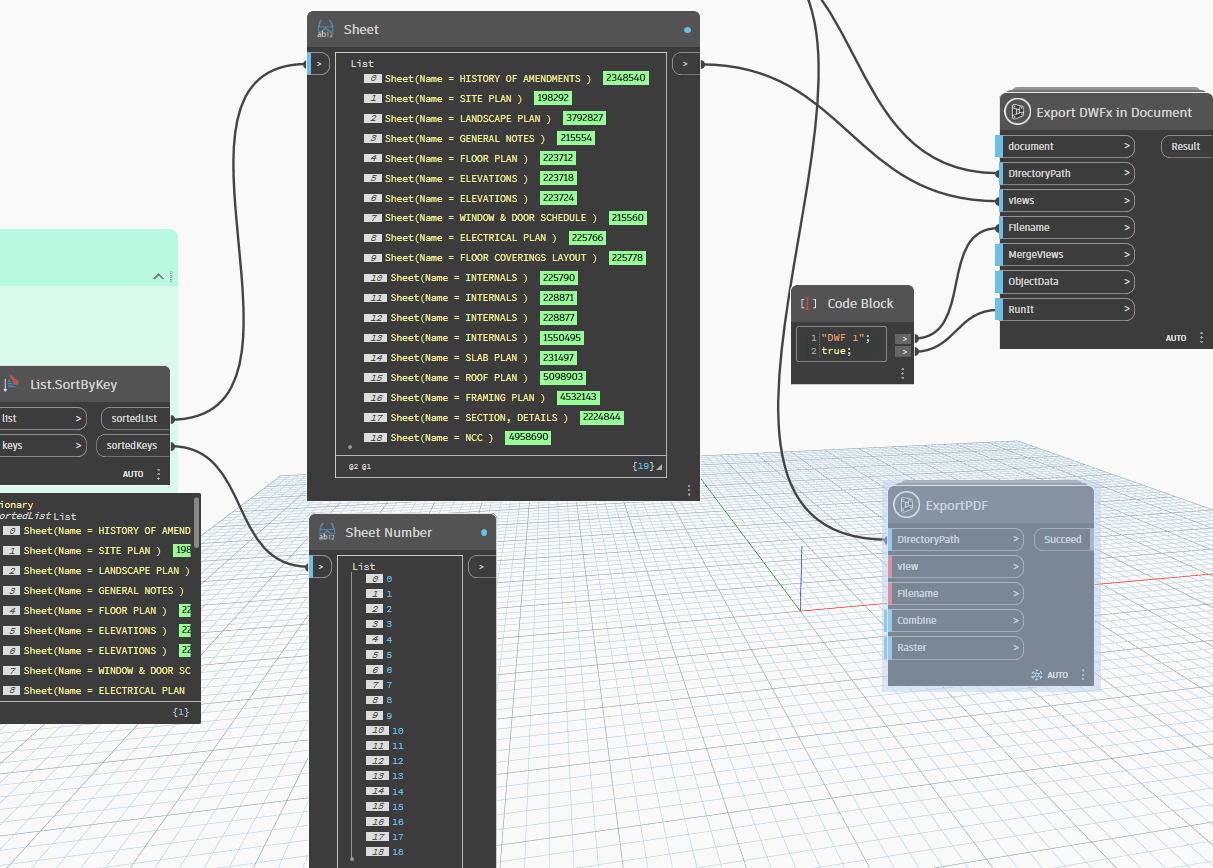
I am a newbie in Dynamo and trying to automate our process to export a DWF file. However, I hit a minor problem…
Prior to Revit 2022, everything was smooth. I only need to provide a viewsheetset and run the “Export DWFx in Document” node from GeniusLoci package. The received product is a DWF file with sheets in order based on their sheet numbers.
However, in Revit 2023, it looks like Autodesk provides more options for Print order which I believe affects to the order of sheets in the DWF file…
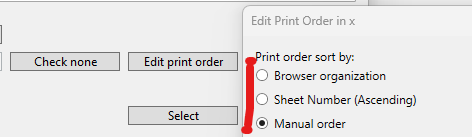
Unlike exporting PDF, I can use a viewsheetset with “Manual order” then sort the list of sheets inside Dynamo and still get a PDF file with sorted sheets.
I have tried to create viewsheetset by a couple of nodes from Crumple, Archilab, Springs…packages. Crumple sometimes sets Print order to “Sheet number” on my lap, but not in my colleague PC.
So, I wrote down to seek your help on how to set Print order to “Sheet number” when i create a new viewsheetset…
PS: Revit API - Print Order - Autodesk Community
I have checked the link and tried, but it looks like all properties of IViewSheetSet are read-only…