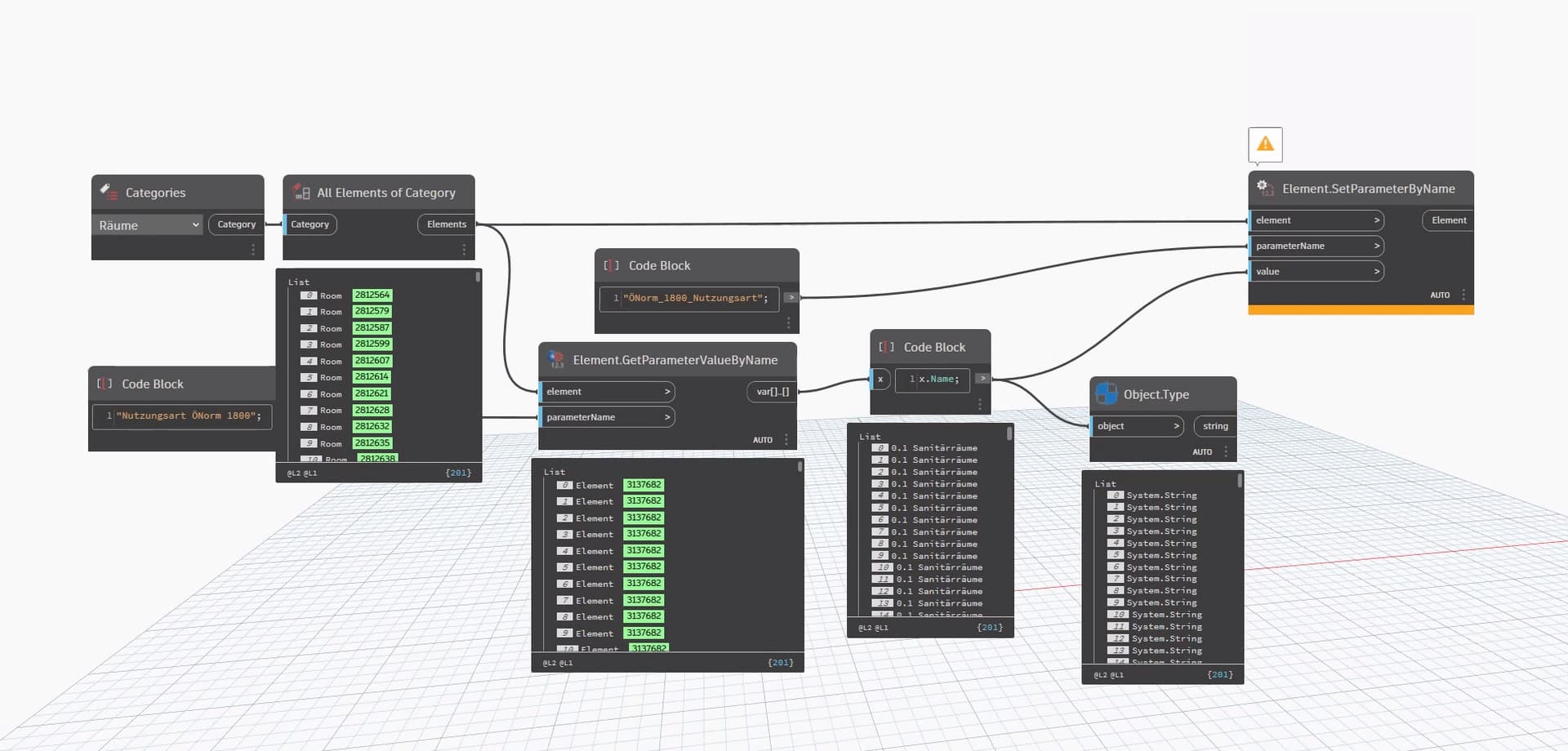
Hello,
When i do it it manually it works well, when i run the script it says “read only”. Thats a tipically Revit riddle 

getting keys is fine, but how to set the project-parameter.
Hello,
When i do it it manually it works well, when i run the script it says “read only”. Thats a tipically Revit riddle
Are you talking about setting the associated values in the schedule or assigning a key value to an element? You’re getting the value as an element so you’d set it the same way. Just remove the Name node.
i need the name from the “key-Parameter” otherwise i would just have the key-parameter as a element. Actually it should be just get and set
i can understand that the result end up in an error - “read only” because the key set the value of the parameter, but when i do it manually it works.
You’re getting the key parameter from all those elements, which means they already have a key and the associated values assigned. So you wouldn’t be able to set any of the associated parameters to anything else since they’re controlled by the key parameter.
What is your workflow here? What are you doing “manually”? You have key parameters to drive all the associated parameters you want. Why would you then try to automate overriding those associated parameters?
i got it, i work only in this Key Schedule. in the screenshoot i collect rooms, that makes no sence.
So i have to work with the key schedule.
Sure. They just don’t have a category, so you have to use a method that doesn’t specify. Data-Shapes has a node or you can always use the API.
I am guessing here that Andreas wants to update / populate a schedule value that is driven by a key schedule drop down? If that is correct, it is possible
Key Schedules are a view with abstract ‘key’ Elements for each row - you can use those elements in Dynamo to update a Key Schedule driven parameter. This may affect grouping so your milage may vary and duplicate keys will break the dictionary
Example here
Key Schedule

Before After
you are one step ahead. I wanna have my key-shedule set up like a template.
i solved the issue partly so i get key-parameter. and his values!
import clr

clr.AddReference('RevitAPI')
from Autodesk.Revit.DB import *
from Autodesk.Revit.DB.Structure import *

clr.AddReference('RevitAPIUI')
from Autodesk.Revit.UI import *

clr.AddReference('System')
from System.Collections.Generic import List

clr.AddReference('RevitNodes')
import Revit
clr.ImportExtensions(Revit.GeometryConversion)
clr.ImportExtensions(Revit.Elements)

clr.AddReference('RevitServices')
import RevitServices
from RevitServices.Persistence import DocumentManager
from RevitServices.Transactions import TransactionManager

doc = DocumentManager.Instance.CurrentDBDocument
uidoc=DocumentManager.Instance.CurrentUIApplication.ActiveUIDocument

#Preparing input from dynamo to revit
viewSchedule = UnwrapElement(IN[0])

#Do some action in a Transaction
TransactionManager.Instance.EnsureInTransaction(doc)

elements = FilteredElementCollector(doc, viewSchedule.Id).ToElements()

params = []
names = []
for i in elements:
    params.append(i.Parameters)
    names.append(i.Name)

TransactionManager.Instance.TransactionTaskDone()

OUT = elements, names
next step set the shared-parameters in the list!