Hi, i need to find specific walls that stand in between 2 rooms so i can place modules on that wall. right now i got to the point that i can find all walls related to the two rooms. the problem is that i only need the wall that directly lays in between the two rooms, can anyone of u help me with this?


Hello,
here’s an approach I think is rather cumbersome (there must surely be a better solution).
I’ve attached the script.
The answer is out
Script:
25_10_29_find wall in contact 2 rooms.dyn (45.6 KB)

cordially,
Christian Stan
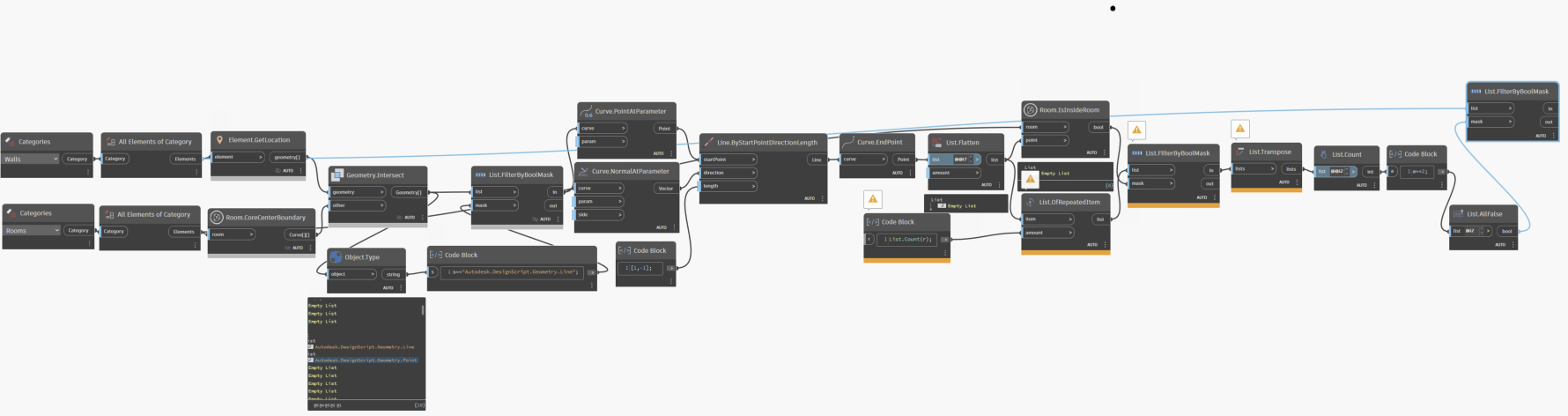


Other approaches;
- ‘Find’ the Wall separating Berging / TR and LR and use that Wall.
OR
- Use the Curves of the Berging / TR Room.
yes thats what i need help with for some reason when i try to ‘Find’ the wall seperating Berging / TR and LR it gives me all walls that are connected to both rooms

well this could probably fix a bit but still my Room.IsInsideRoom node gives out an empty list

Hi, I was using [m] in my example. I’m checking if the line common to the room and the wall segment, with a centered perpendicular line extending 1 m on each side, results in two rooms.
Regards, Christian Stan
i dont know if the room origins are centered but you could get the location of the two rooms, draw a line between the two points and find the wall it intersects.
Hi, you would have a lot of false positives.
cordially,
christian Stan
Hi, here’s another version

Script:25_10_29_find wall in contact 2 rooms v2.dyn (42.2 KB)
PythonScript: (To eliminate the diagonal of intersection in the cross product)
import sys
listent=IN[0]
for i in range(len(listent)):
    listent[i].pop(i)


OUT = listent
Cordially
Christian Stan
My code is a bit janky, but you can find common walls in a more empirical way by getting the elements that create the room boundaries, then using room pair combinations find all of the common walls by intersecting sets of the wall Ids.
from itertools import combinations
from operator import methodcaller

import clr

clr.AddReference("RevitServices")
from RevitServices.Persistence import DocumentManager

clr.AddReference("RevitAPI")
from Autodesk.Revit.DB import *

doc = DocumentManager.Instance.CurrentDBDocument


def get_room_walls(room, doc=doc, sebo=SpatialElementBoundaryOptions()):
    def is_wall(element):
        """Check if element is a wall utility function."""
        return isinstance(element, Wall)

    boundary_segs = room.GetBoundarySegments(sebo)

    return set(
        map(
            lambda w: str(w.Id),
            filter(
                is_wall,
                (doc.GetElement(s.ElementId) for bseg in boundary_segs for s in bseg),
            ),
        )
    )


rooms = UnwrapElement(IN[0])

room_combinations = list(combinations(rooms, 2))

common_walls = [
    get_room_walls(rm1).intersection(get_room_walls(rm2)) for rm1, rm2 in room_combinations
]

common_walls = [map(lambda w: doc.GetElement(ElementId(w)), walls) for walls in common_walls]

room_comb_names = [map(methodcaller("get_Name"), comb) for comb in room_combinations]

OUT = zip(room_comb_names, common_walls)
Hi,
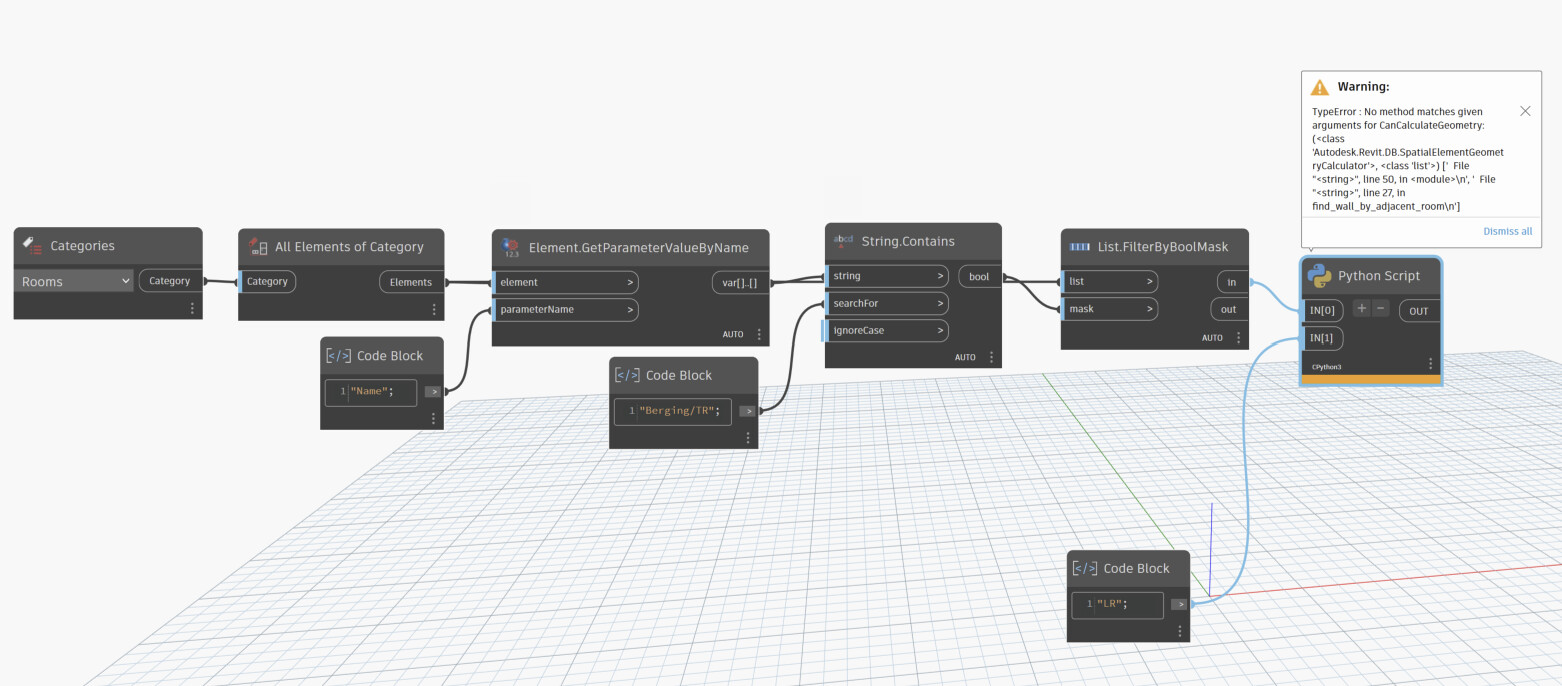
another way with SpatialElementGeometryCalculator

import clr
import sys
import System
#
clr.AddReference('ProtoGeometry')
from Autodesk.DesignScript.Geometry import *
import Autodesk.DesignScript.Geometry as DS

#import Revit API
clr.AddReference('RevitAPI')
import Autodesk
from Autodesk.Revit.DB import *
import Autodesk.Revit.DB as DB

#import transactionManager and DocumentManager (RevitServices is specific to Dynamo)
clr.AddReference('RevitServices')
import RevitServices
from RevitServices.Persistence import DocumentManager
from RevitServices.Transactions import TransactionManager
doc = DocumentManager.Instance.CurrentDBDocument


def find_wall_by_adjacent_room(room, adajcent_room_name):
    #
    calculator = SpatialElementGeometryCalculator(doc)
    #
    if calculator.CanCalculateGeometry(room):
        results = calculator.CalculateSpatialElementGeometry(room)
        roomSolid = results.GetGeometry()
        for face in roomSolid.Faces:
            for subface_info in results.GetBoundaryFaceInfo(face):
                if subface_info.SubfaceType == SubfaceType.Side:
                    lnkelemId = subface_info.SpatialBoundaryElement
                    elem = doc.GetElement(lnkelemId.HostElementId )
                    if isinstance(elem, Wall):
                        subface = subface_info.GetSubface()
                        bbxuv = subface.GetBoundingBox()
                        face_normal = subface.ComputeNormal((bbxuv.Min + bbxuv.Max) / 2)
                        # set the length of the vector
                        face_normal = face_normal * elem.Width * 1.1 # 1.1 --> margin offset vector
                        midpt = subface.Evaluate((bbxuv.Min + bbxuv.Max) / 2)
                        project_pt = midpt + face_normal
                        ajacent_room = doc.GetRoomAtPoint(project_pt)
                        if ajacent_room is not None and adajcent_room_name in ajacent_room.Name :
                            return elem

input_room = UnwrapElement(IN[0])
adajcent_room_name = IN[1]

OUT = find_wall_by_adjacent_room(input_room, adajcent_room_name)
For greater accuracy, take several test points on the vertical surfaces.
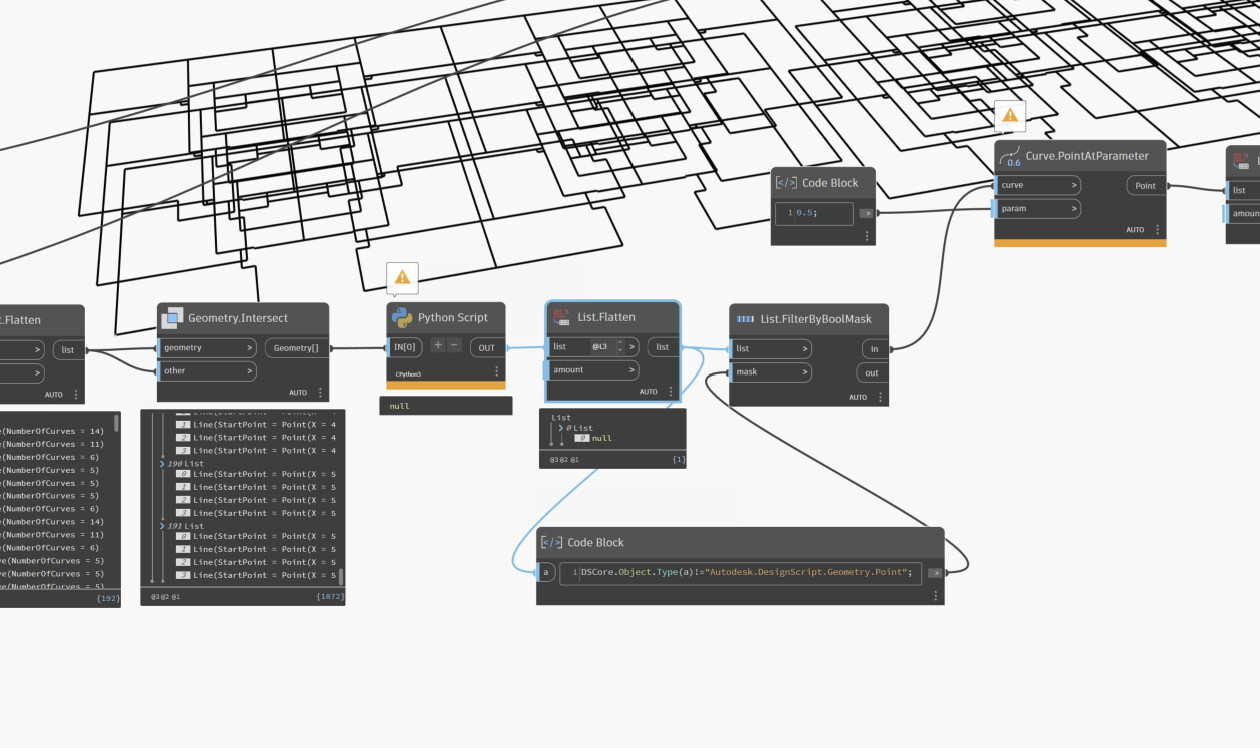
Hi, i did this with my normal nodes and it indeed works the only problem is that it also takes the walls that face both walls. soo i also got multiple adjacent walls that are not the defiding walls i need. and sadly i cant for some reason get rid of them.