I have a large folder library of Specialty Equipment Family Category families i need to change to Food Service Equipment Family Category. I just cant seem to figure out the right Dynamo Layout for it to look for, open, change, and then save the family as the new family category. Has anyone else had any luck to this? i have searched and searched he web and on the forum for anything to help me. i am currently in RVT25. thanks! 
Foodservice here as well. I’ve searched/asked the web for this in the past, but never found a low cost automated solution.
yeah i have came close to it working just cant connect the dots of the missing commands i need. maybe someone will reply on here with some help.
Hi @Jerred.Xtech you could try Birdtool multiplayer and run over your content Bird Tools | Dynamo Multiplayer and then just use ootb for set categori…
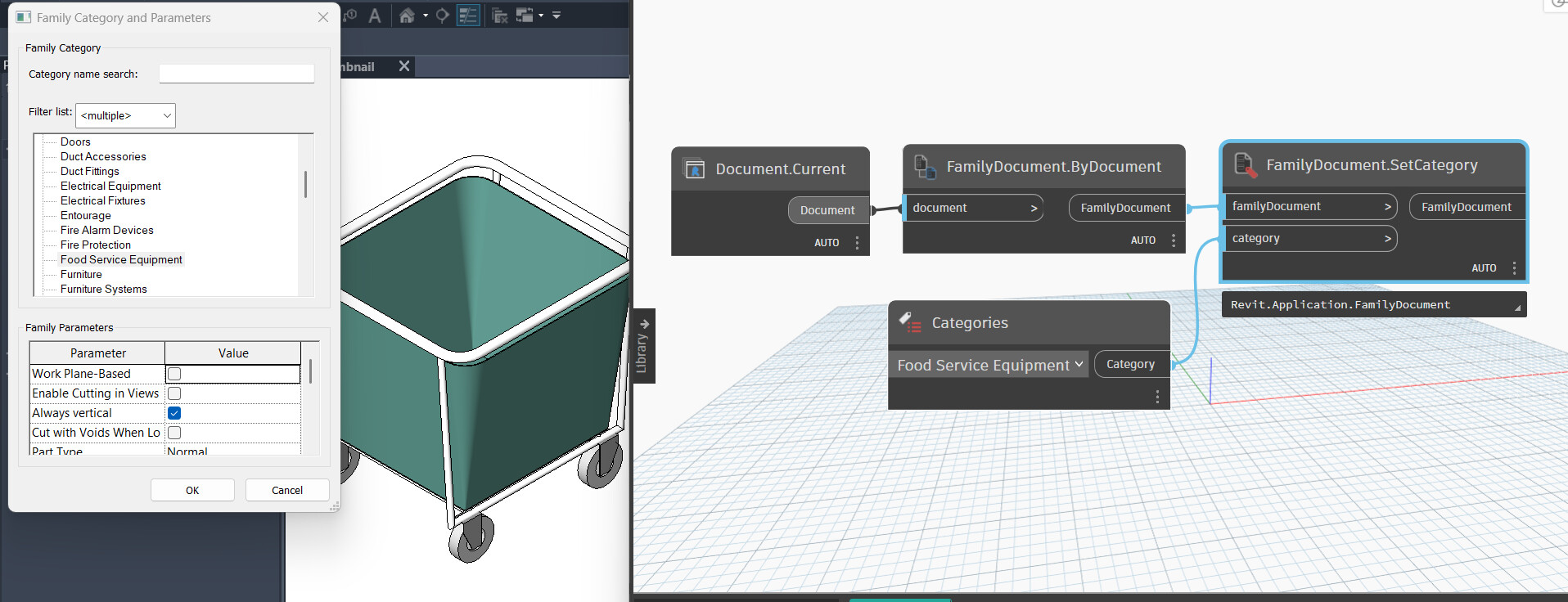


i would for sure do it with birdtool..just more stable…but guess you are close if you want go the BG open way…could you show what kind of document the rhythm node give you, if it a revit.application.document then you need convert, rhythm have a node for that as well to autodesk.db.document, and be sure the right python package is installed for genius loci

@sovitek i had a bunch of errors running the bird tools.
Error Log:
Warning At Model: Z:\Drafting\Process Models\Conveyor Models\Enclosed Design\Center Drive Belt.rfa - At Graph: Z:\Drafting\Dynamo Scripts\Batch - Change Family Category - Food Service Equipment.dyn - At Node: FamilyDocument.ByDocument - Reason of Failure: FamilyDocument.ByDocument expects argument type(s) (Revit.Application.Document), but was called with (Autodesk.Revit.DB.Document). href=NonOverloadMethodResolutionError.html - Graph Execution May Not Be Complete.
This is what i got on a lot of families. i don’t think it did any of them.
Anyway you could help?
no not sure, is it a shared drive you work on…not sure at all, have never had that issue
Yeah it is a shared drive, More like a shared local network drive. i think it may be the network it doesn’t like. i could try copying all the files to my hard drive and run the Bird tools again and see if that does it.
yeah probably…yeah try that and can be done auto with nodes as will,or some robocopy 