# Change the work plane of model lines by dynamo
**URL:** https://forum.dynamobim.com/t/change-the-work-plane-of-model-lines-by-dynamo/88080
**Category:** Revit
**Tags:** dynamo
**Created:** [April 1, 2023, 8:35pm UTC](https://forum.dynamobim.com/t/change-the-work-plane-of-model-lines-by-dynamo/88080 "2023-04-01T20:35:11Z")
**Posts on this page:** 5
**Page:** 1
### Author:  [@faramawy](https://forum.dynamobim.com/u/faramawy)
#### Post date: [April 1, 2023, 8:35pm UTC](https://forum.dynamobim.com/t/change-the-work-plane-of-model-lines-by-dynamo/88080/1 "2023-04-01T20:35:11Z")
Using Dynamo, how can i change the work plane of a list of Revit model lines, i need to change their work plans from not associated to a list of wall faces
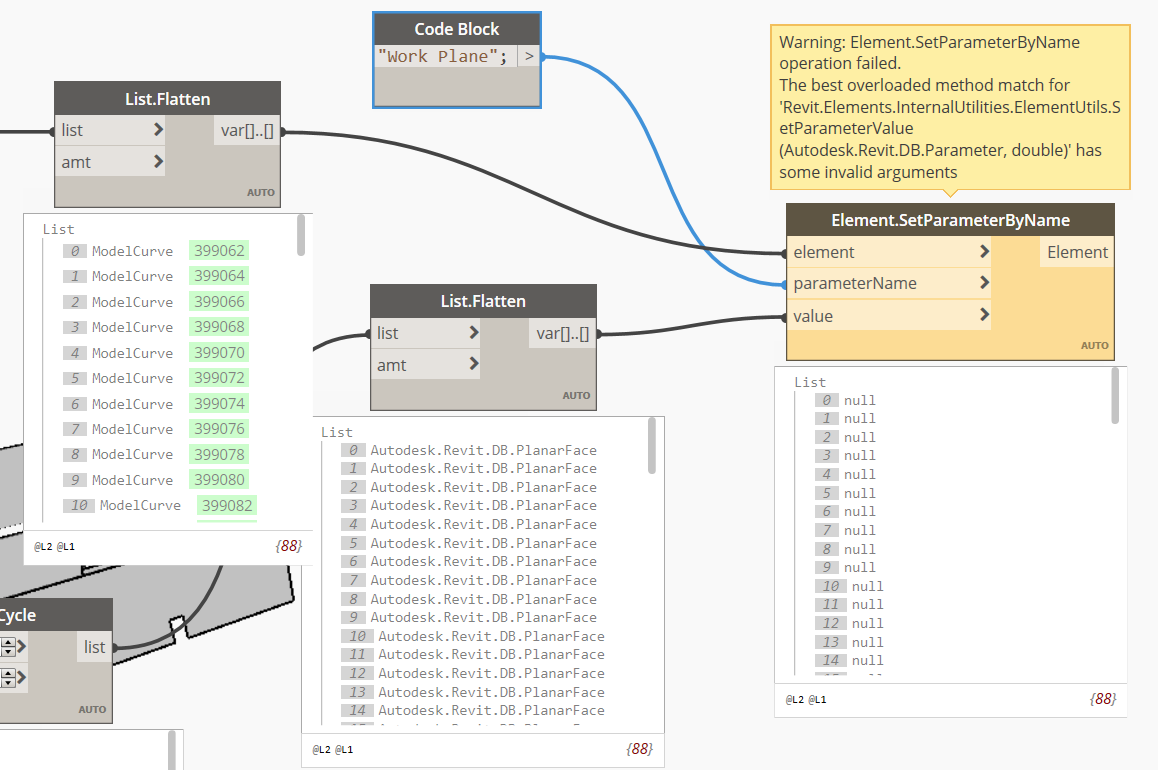
[https://us1.discourse-cdn.com/flex022/uploads/dynamobim/original/3X/b/d/bddbe423ce2d318487fe3c0f604db7e9f0956a8b.mp4](https://us1.discourse-cdn.com/flex022/uploads/dynamobim/original/3X/b/d/bddbe423ce2d318487fe3c0f604db7e9f0956a8b.mp4)
---
### Author:  [@Marcel\_Rijsmus](https://forum.dynamobim.com/u/Marcel_Rijsmus)
#### Post date: [April 1, 2023, 9:09pm UTC](https://forum.dynamobim.com/t/change-the-work-plane-of-model-lines-by-dynamo/88080/2 "2023-04-01T21:09:25Z")
Maybe try the PullOntoPlane node
---
### Author:  [@faramawy](https://forum.dynamobim.com/u/faramawy)
#### Post date: [April 1, 2023, 9:10pm UTC](https://forum.dynamobim.com/t/change-the-work-plane-of-model-lines-by-dynamo/88080/3 "2023-04-01T21:10:47Z")
how can i get a plane from revit wall face ?
---
### Author:  [@Marcel\_Rijsmus](https://forum.dynamobim.com/u/Marcel_Rijsmus)
#### Post date: [April 1, 2023, 9:56pm UTC](https://forum.dynamobim.com/t/change-the-work-plane-of-model-lines-by-dynamo/88080/4 "2023-04-01T21:56:02Z")
2 options
-use three of the points from the surface to extract the plane with Plane.ByThreePoints
-get the mid point of your surface (Surface.PointAtParameter) and normal at the same parameter (Surface.NormalAtParameter) then use them to create a plane with Plane.ByOriginNormal .
---
### Author:  [@faramawy](https://forum.dynamobim.com/u/faramawy)
#### Post date: [April 4, 2023, 2:20am UTC](https://forum.dynamobim.com/t/change-the-work-plane-of-model-lines-by-dynamo/88080/5 "2023-04-04T02:20:17Z")
Thanks a lot, i followed your instructions and i could align a curve to the wall face, i consider this a solution.
However, if i can ask for more,
1- This method didn’t align the model curve to the wall face, but it is creating another model line and align it to the wall
2- the new model line still doesnt belong to the wall face as work plane, it is just aligned to it.
although that does the job for me now, but if there is something more i can learn about really changing the work plane of the model line
Thanks for you anyway